
Clockwise Shutting Down March 27, 2026: Best Alternatives & Migration Guide
Honest comparison of Reclaim, Motion, and Morgen as Clockwise replacements, plus what every one of them still doesn't track.
TL;DR
- Clockwise is shutting down March 27, 2026.
- Most users should migrate to Reclaim.ai (free tier, price-match for switchers).
- Add a meeting cost layer (MeetingToll) regardless of which calendar tool you pick.
Why is Clockwise shutting down?
Clockwise hasn't published a detailed reason. The AI calendar category consolidated quickly in 2025–2026, and Reclaim.ai, Motion, and Morgen are each picking up different parts of the former Clockwise user base (with Reclaim offering a 12-month price match and Morgen offering a 35% switcher discount). For you, the practical question isn't why, it's which replacement matches your existing workflow.
Reclaim vs Motion vs Morgen: Honest Comparison
All three are credible Clockwise replacements. The right pick depends on whether you want a near-clone (Reclaim), an all-in-one tool (Motion), or maximum calendar flexibility (Morgen).
| Tool | Best for | Pricing | Calendars | Migration ease |
|---|---|---|---|---|
| Reclaim.ai | Most Clockwise users | Free tier; $8–$18/user/mo paid | Google Calendar (primary), Outlook | Easiest |
| Motion | Users who want calendar + tasks + projects in one tool | $29/user/mo individual; $19/user/mo team (annual) | Google Calendar, Outlook | Moderate |
| Morgen | Power users with multiple calendars and time-blocking workflows | From $15/user/mo annual (35% off for Clockwise switchers) | Google, Outlook, iCloud, CalDAV, any standard | Moderate |
Strengths
- Price-match guarantee for Clockwise migrators (next 12 months)
- Strongest task-to-calendar automation
- Robust free forever tier
- Habits, focus blocks, smart 1:1 scheduling
Weaknesses
- Outlook support is newer; Google-first product
- Some "Smart 1:1" features locked to paid tiers
Strengths
- Aggressive task auto-rescheduling when meetings appear
- Built-in project management (replaces Asana for some teams)
- Aggressive AI prioritization
Weaknesses
- Significantly more expensive than Clockwise was
- Steeper learning curve than Reclaim
- Can over-shuffle your day if you prefer manual control
What Clockwise users miss that none of the alternatives solve
Clockwise was great at finding focus time, but it never told you what your remaining meetings actually cost. Neither does Reclaim. Or Motion. Or Morgen. These tools optimize when meetings happen, not how much they cost.
After migrating, you'll probably reclaim 2–4 hours per week of focus time. But the 25–30 hours of meetings you still attend each week have a real dollar cost, and most teams have never measured it.
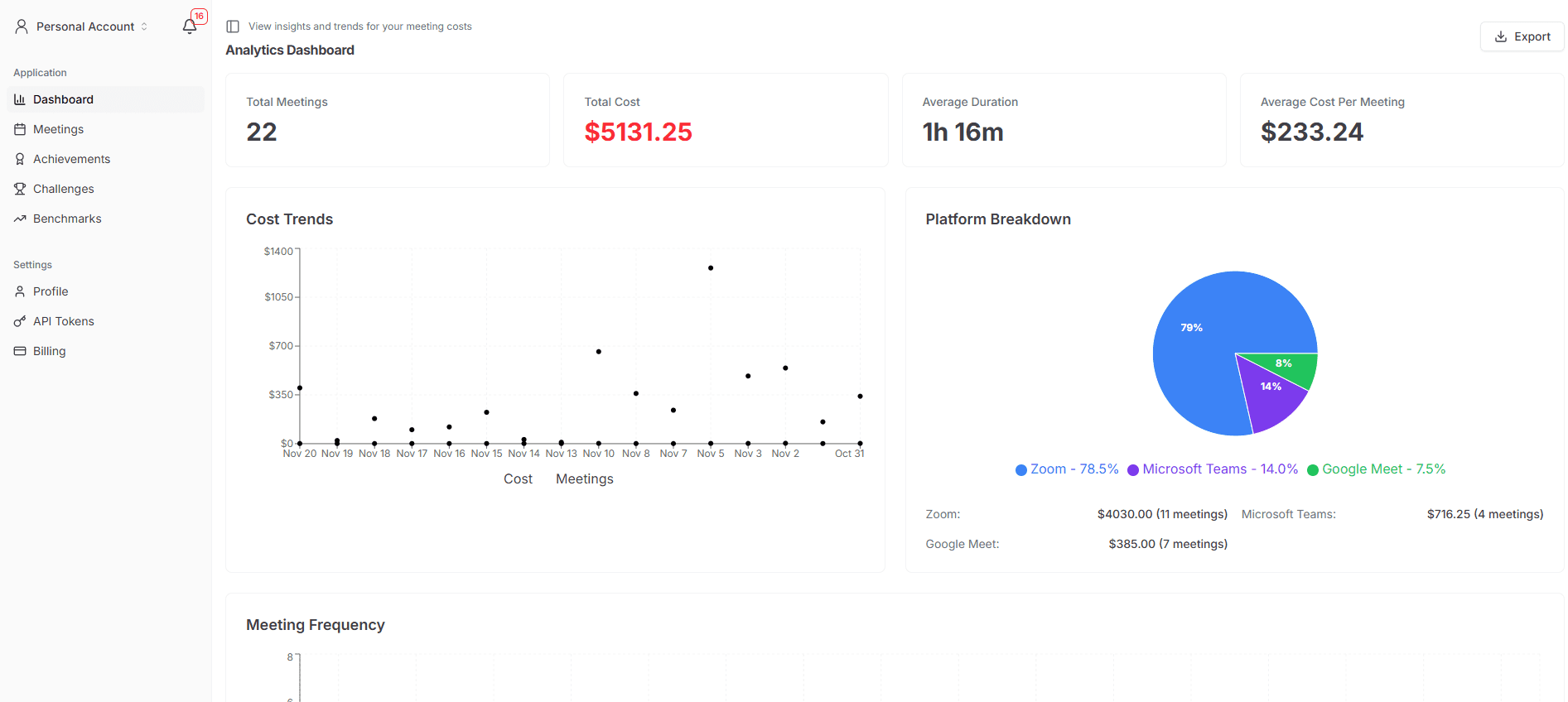
MeetingToll dashboard, total meeting cost, platform breakdown, and trends over time.
MeetingToll fills this gap. It's a free Chrome extension that shows live meeting cost during Zoom, Google Meet, and Microsoft Teams calls, and aggregates the data so you can defend decisions, justify policy changes, or report to leadership.
Add a meeting cost layer to your new calendar tool
MeetingToll works alongside Reclaim, Motion, or Morgen. Free Chrome extension, 5-second install.
5 steps to migrate from Clockwise
Estimated time: 30 minutes. Do this at least 2 weeks before March 27, 2026 so you have time to validate your new setup.
- 1
Export your Clockwise preferences
Sign in to Clockwise and copy your focus time hours, lunch block, meeting hours, recurring habits, and any active scheduling links to a document. There is no automated import to other tools.
- 2
Choose your replacement calendar tool
Pick Reclaim.ai (easiest one-to-one replacement, free tier), Motion (calendar + tasks + projects), or Morgen (multiple calendar providers, power users).
- 3
Set up your new tool in parallel
Connect your calendar to the new tool while Clockwise is still active. Recreate your focus blocks, habits, and meeting preferences.
- 4
Validate the new tool for at least one week
Run it alongside Clockwise for a week before cutting over. Watch for: focus blocks not getting defended, recurring habits not firing, meeting auto-decline behavior. Adjust settings before you lose your Clockwise account.
- 5
Cancel Clockwise and remove its calendar integration
Once the new tool has been working cleanly for a week, cancel your Clockwise subscription and remove its calendar app permissions from Google Calendar or Outlook.
Frequently asked questions
About the Clockwise shutdown, alternatives, and meeting cost tracking after migration.
When exactly is Clockwise shutting down?
Clockwise announced it will shut down on March 27, 2026. After that date, the service will be unavailable, and existing users need to migrate to an alternative calendar tool or risk losing their saved scheduling preferences and focus-time configurations.
Why is Clockwise shutting down?
Clockwise has not published a detailed public statement explaining the shutdown decision, but the AI calendar category has consolidated rapidly in 2025–2026. Reclaim.ai has been a primary destination for migrating users, and is offering a price-match guarantee for Clockwise customers on their next 12-month term.
What is the best Clockwise alternative for most users?
For most Clockwise users, Reclaim.ai is the closest one-to-one replacement. It supports the same core workflows (focus time, habits, smart 1:1 scheduling), has a free forever tier, and is currently offering a 12-month price match for Clockwise migrators. Motion is better for users who want a calendar plus task management plus project management in one tool. Morgen is better for power users with multiple calendars across providers.
How do I export my Clockwise data before the shutdown?
Sign in to Clockwise and visit your account settings. Export your scheduling preferences (focus time hours, lunch block, meeting hours), recurring habit definitions, and any active scheduling links. Most settings will need to be manually recreated in your new tool, there is no automated migration between AI calendar tools as of June 2026.
Does MeetingToll replace Clockwise?
No, MeetingToll is not a calendar scheduling tool. Clockwise optimized when meetings happen; MeetingToll measures what they cost. They solve different problems. Most teams need both: a calendar tool (Reclaim, Motion, or Morgen) plus a cost-tracking layer like MeetingToll to understand the real dollar impact of their meeting load.
Why should I track meeting costs after migrating from Clockwise?
Clockwise reduced your meeting overhead by finding focus time, but it never showed you the dollar cost of the meetings that remained. After migrating to a new calendar tool, that question becomes more relevant, not less. Tracking cost gives you a hard number to defend "no" decisions, justify policy changes, and report to leadership. MeetingToll shows live meeting cost in Zoom, Google Meet, and Microsoft Teams as a free Chrome extension.
Is there an automated migration tool from Clockwise to Reclaim?
As of June 2026, Reclaim.ai offers a guided onboarding flow for Clockwise migrators with their price-match guarantee, but there is no fully automated import for scheduling preferences or habits. Expect to spend 15–30 minutes re-configuring your focus blocks and recurring habits in your new tool.
Can I keep using Clockwise until the last day?
Technically yes, but most experts recommend migrating at least 2 weeks before the shutdown date so you can validate that your new tool is configured correctly before losing access to your Clockwise account.
Don't lose meeting cost visibility in the migration
MeetingToll layers on top of whatever calendar tool you pick. Free Chrome extension, no calendar permissions required.